πŸ”Œ 100% Local & Offline πŸ“₯ Free wp-admin Inbox πŸ›‘οΈ GDPR-Compliant

Next-Gen Client Intake &
Document Collection

Convert Contact Form 7 & Gravity Forms in 3 clicks. Store all submissions and file uploads securely in your own local database. No external SaaS account required.

Interactive Walkthrough

Follow the five simple stages of taking command of your client document intake workflows.
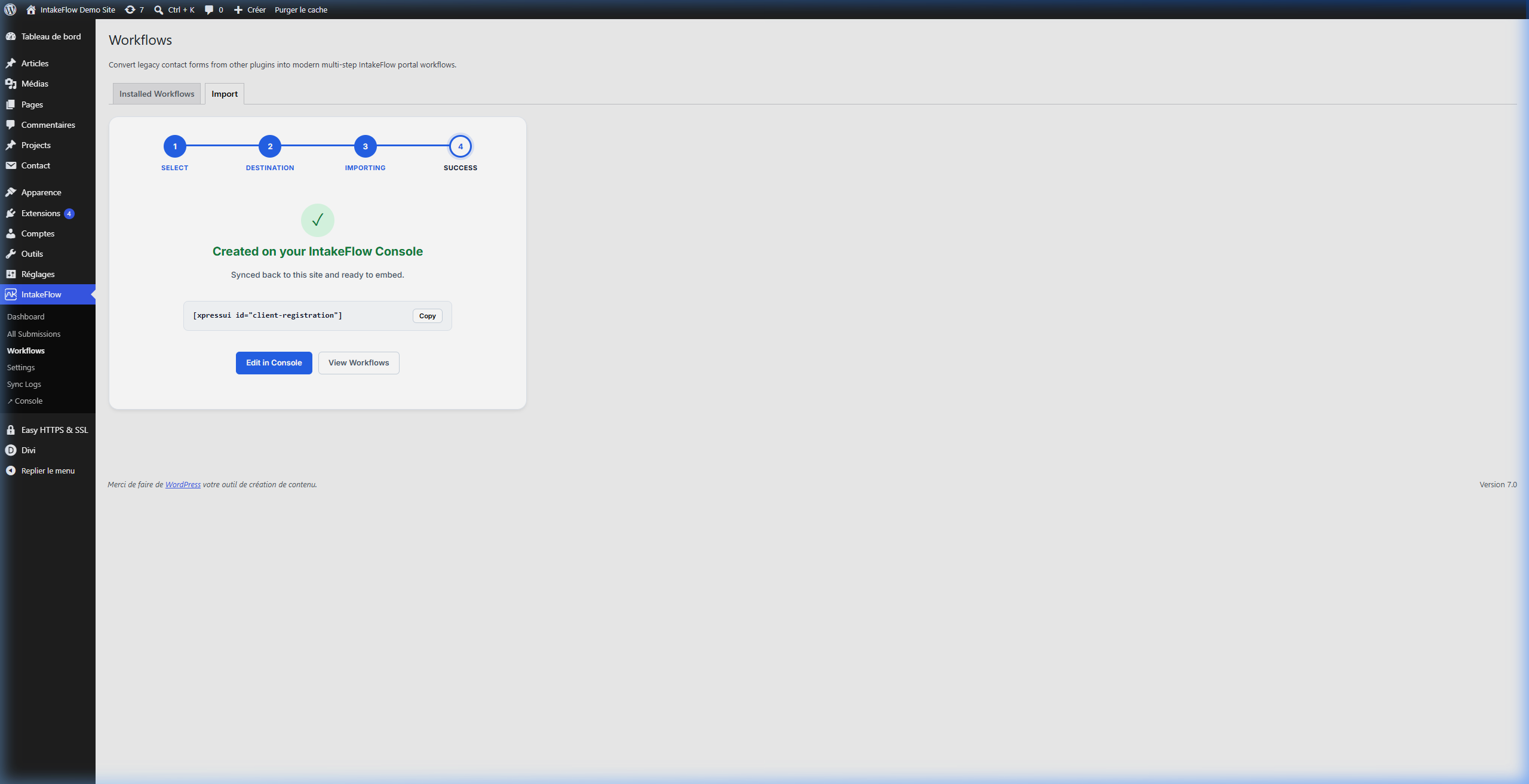
CF7 Form Import

One-Click Migration

Convert your existing Contact Form 7 and Gravity Forms layouts in a few clicks. The importer analyzes the fields and retains all options, required validations, and logic.

  • Preserves text, telephone, number, date, and URL validations
  • Supports renaming form fields and editing slugs natively
  • Generates standalone responsive layouts ready for frontend sync
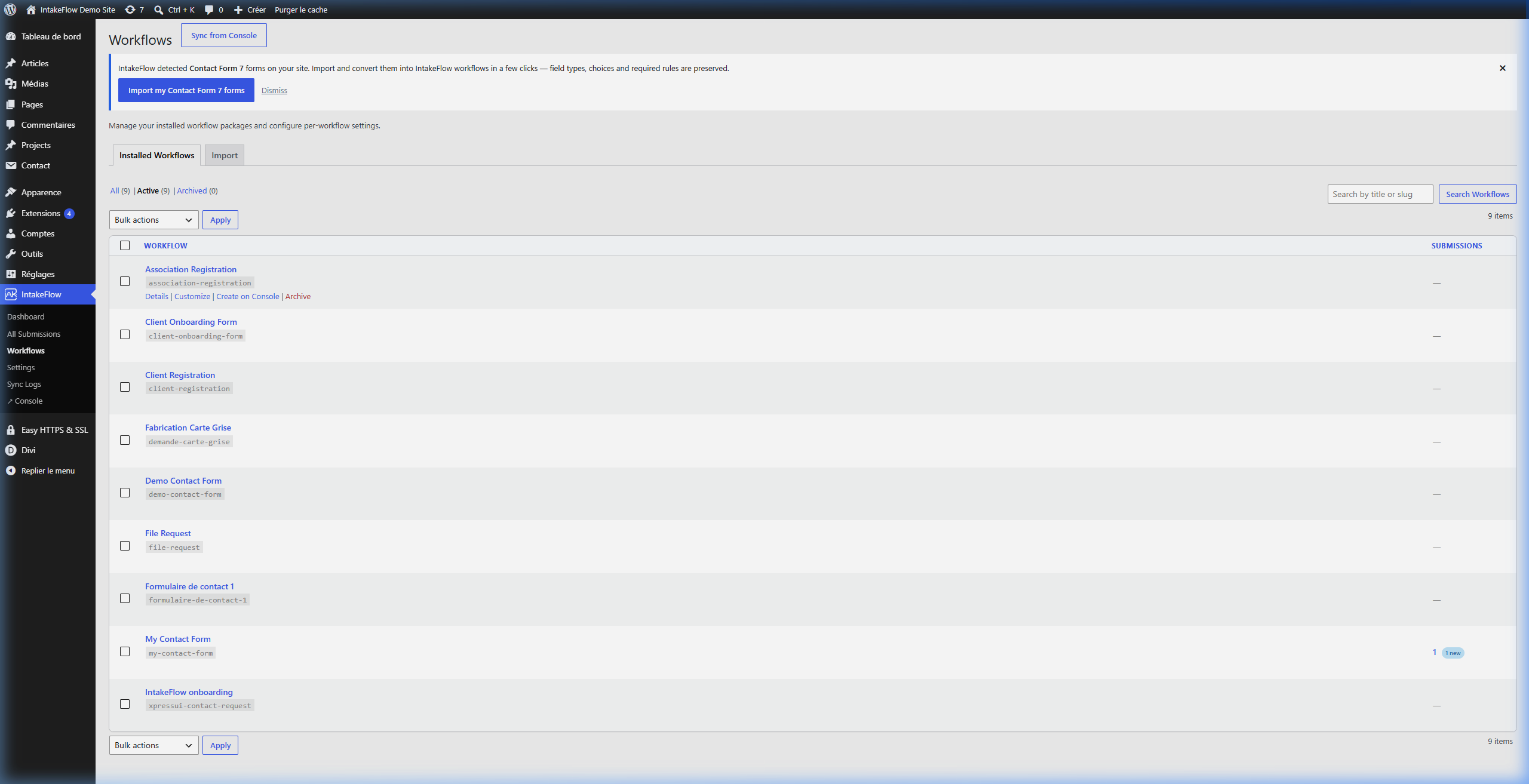
WordPress Workflows List

Workflows Directory

Manage all form workflows inside the central Workflows dashboard in wp-admin. From here you can sync all structures with the IntakeFlow Console and manage settings per project.

  • Sync schemas directly via secure API tokens
  • Retrieve shortcodes, Gutenberg blocks, and Elementor widgets
  • Manage emails and redirection paths independently

Loading walkthrough...
Walkthrough: Editing WordPress page

Native Gutenberg Integration

Embed forms instantly anywhere using shortcodes. Forms render server-side in fast HTML, inheriting your theme's active styles.

[xpressui id="client-feedback-form"]
  • Zero bloated iframesβ€”100% search engine indexable
  • Card and plain layout modes to avoid double card frames
  • Full responsive formatting on mobile and tablet screens
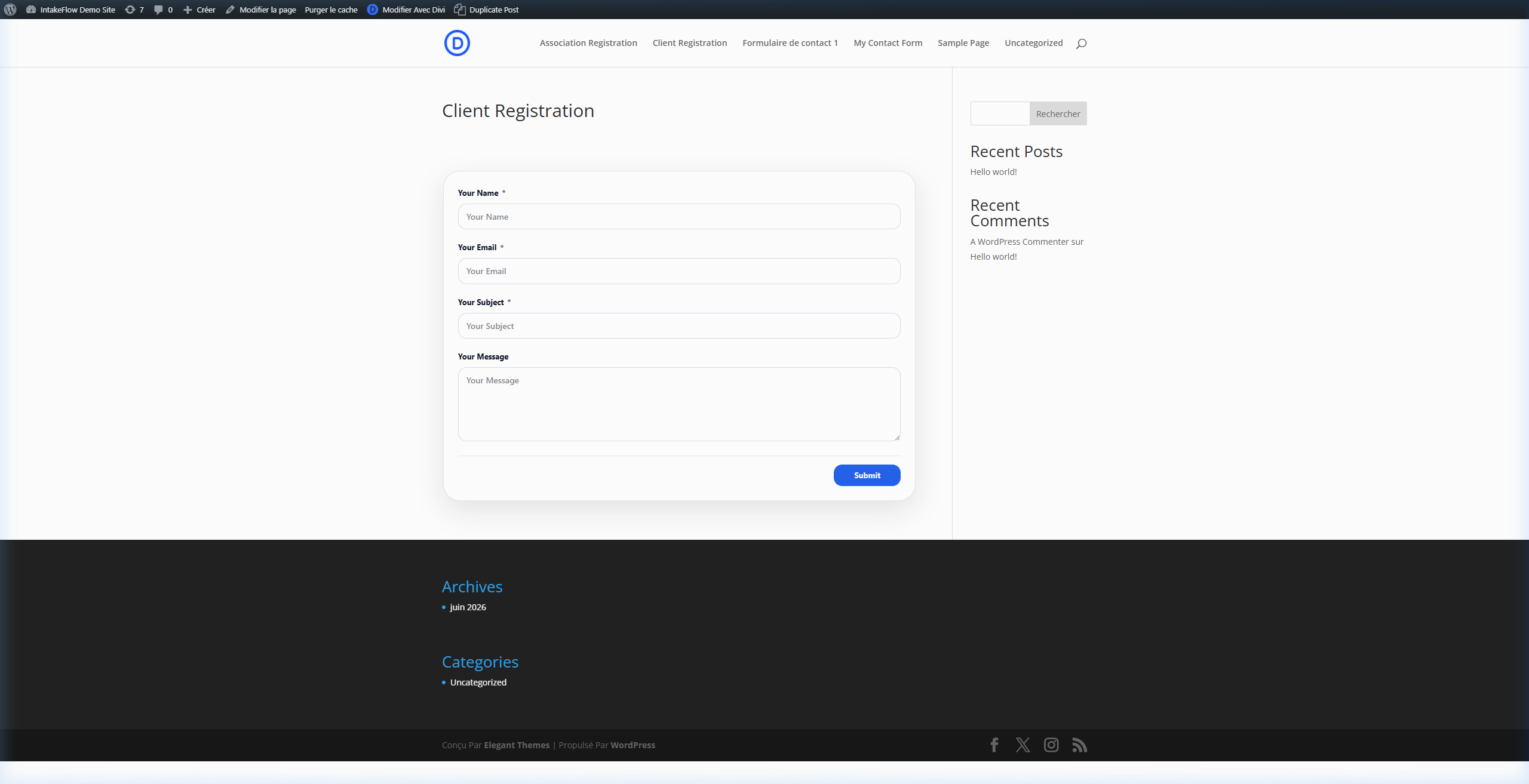
Frontend submission

Clean Submissions Flow

Forms submit instantly via the WordPress REST API endpoint (/wp-json/xpressui/v1/submit) with secure attachments upload handling.

  • Instant visual validation and submission feedback
  • Upload documents, image files, signatures, and PDFs
  • Redirect support to thank-you pages on submission success
Loading walkthrough...
Walkthrough: WordPress Inbox review

Collaborative Admin Inbox

All submissions arrive directly in your local WordPress database as private posts. Review files, assign reviews, update status badges, and track historical logs.

  • GDPR compliant local database persistence
  • Assign tasks to internal reviewers and manage team backlogs
  • Detailed status history logs (New, In Review, Done)

Why IntakeFlow is Different

Built to address the shortcomings of traditional form plugins when managing complex client document collection.

⚑

Iframe-Free Native Rendering

Unlike Typeform or Jotform, forms load natively as HTML/CSS/JS inside your active theme wrapper. This ensures maximum load speed and SEO-friendliness.

πŸ”’

100% GDPR & Data Ownership

Submissions and uploaded files are saved as private WordPress custom post types in your database. No customer data leaves your servers unless you opt to sync with the console.

πŸ‘€

Team Collaboration Inbox

Manage submissions as actionable tasks. Assign specific team members, track review history, and customize statuses right within WordPress without paying per seat.

Comparative Feature Analysis

An overview of how IntakeFlow stacks up against other mainstream form solutions in the WordPress ecosystem.

Feature IntakeFlow Plugin Traditional Builders (CF7, WPForms) SaaS Builders (JotForm, Typeform)
Form Rendering Native Inline (Fast HTML/JS) Inline HTML / CSS-heavy Heavy External Iframe (Slows site load)
Data Location Local Database (Self-hosted) Local Database / Emails only Cloud servers (Third-party processor)
Review Workflows Yes (Status triggers + Assignees) No (Emails/Plain lists only) Yes (Paid subscription add-ons)
Multi-step Files Upload Yes (WordPress Media integration) Basic file controls Limits files storage on free tiers
GDPR Compliance 100% Compliant (Zero external leakage) Variable (Plugin dependent) Requires custom DPA (Complex)
Consolidated Inbox Free (Inclusive in core plugin) Needs addon plugins Gated behind expensive packages

Frequently Asked Questions

Everything you need to know about the IntakeFlow WordPress integration.

Is the WordPress plugin completely free? +
Yes, the core plugin is open-source and entirely free. You can build, import, and embed forms, and review all customer submissions without any limitations. A connection to the Console (SaaS) is optional and only required if you need features like digital signatures, appointment scheduling, product checkouts, or cloud backups.
How does the Contact Form 7 import work? +
IntakeFlow integrates with CF7 by parsing the tags in your contact forms. It converts inputs like text, email, tel, date, and textareas into modern mobile-friendly multi-step forms while preserving validation requirements.
Where are uploaded files stored? +
All uploaded files are written directly to your WordPress uploads folder using standard WordPress APIs (media_handle_upload()). They are registered as media attachments in your library and linked directly to their respective submissions for ease of review.
Can I assign submissions to specific team members? +
Yes! Submissions are managed as private custom posts. You can assign any WordPress user on your site to a submission, change status levels (New, In Review, Done), and view assignment history logs inside the submission panel.